

Description
Download Canon Inkjet Smart Connect – Free, Secure & Easy Print from PC, Mobile & Cloud
The Canon Inkjet Smart Connect solution revolutionizes the way you print and scan by seamlessly connecting your Canon inkjet printers to your PC, smartphone, and tablet. Whether you're working from home, managing school projects, or sharing family photos, this free software tool brings powerful printing capabilities right to your fingertips. Compatible with Windows 10, Mac, iOS, and Android, Canon Inkjet Smart Connect enables effortless printing from mobile devices, cloud storage, and desktops. With intuitive controls, real-time status updates, and support for high-quality photo and document printing, this smart printing app is ideal for both casual users and professionals. The application is easy to install and updates automatically to ensure peak performance and security. Whether you're printing from your phone or managing print jobs from your laptop, Canon Inkjet Smart Connect delivers a smooth, reliable experience across all your devices.
Key Features of Canon Inkjet Smart Connect
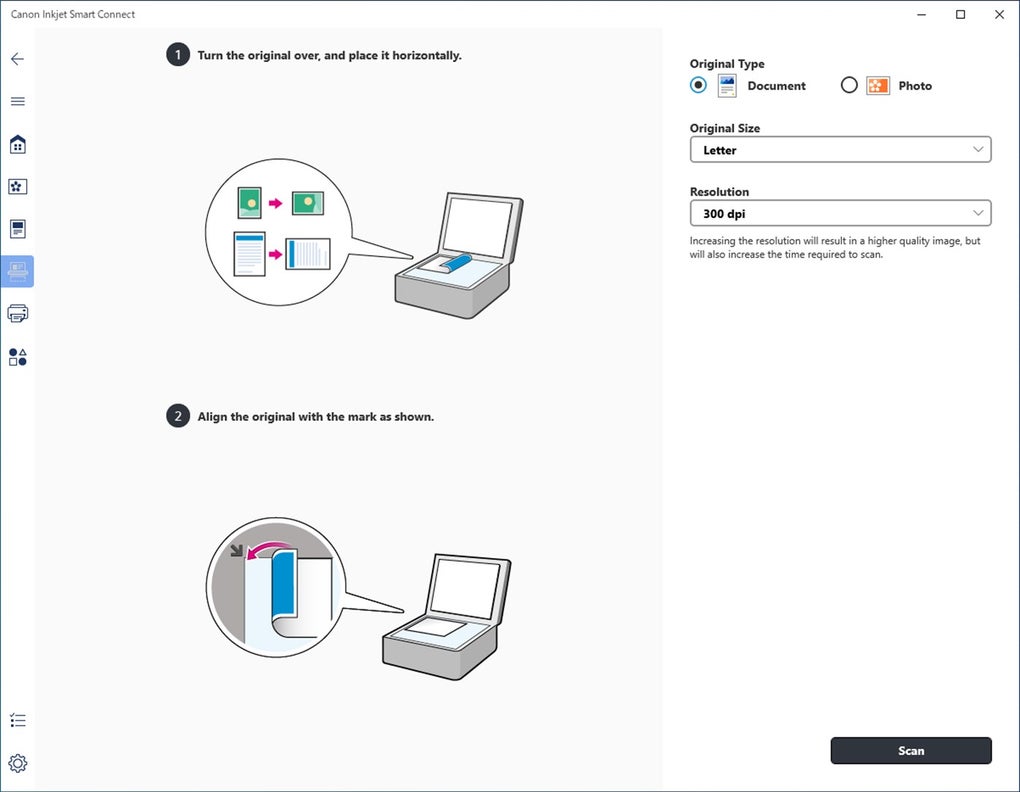
The Canon Inkjet Smart Connect app is packed with features designed to simplify your printing workflow. One of the standout capabilities is its cross-platform compatibility, supporting Windows 10, macOS, iOS, and Android devices. This ensures that no matter what device you use, you can print and scan with ease. The app allows you to print photos directly from your smartphone or tablet with just a few taps, making it perfect for sharing memories instantly. You can also scan documents and convert them into PDFs or JPEGs, which is ideal for digital archiving or sharing via email.
Another powerful feature is the ability to manage your print jobs remotely. You can check ink levels, monitor print status, and even troubleshoot issues without being near the printer. The app supports cloud printing, so you can send documents from Google Drive, Dropbox, or iCloud directly to your Canon printer. This is especially useful for remote workers or students who need to print assignments from different locations. The interface is clean and user-friendly, with customizable print settings such as paper size, print quality, and layout options. For photographers and creatives, the app includes advanced tools like perspective correction and image enhancement before printing.
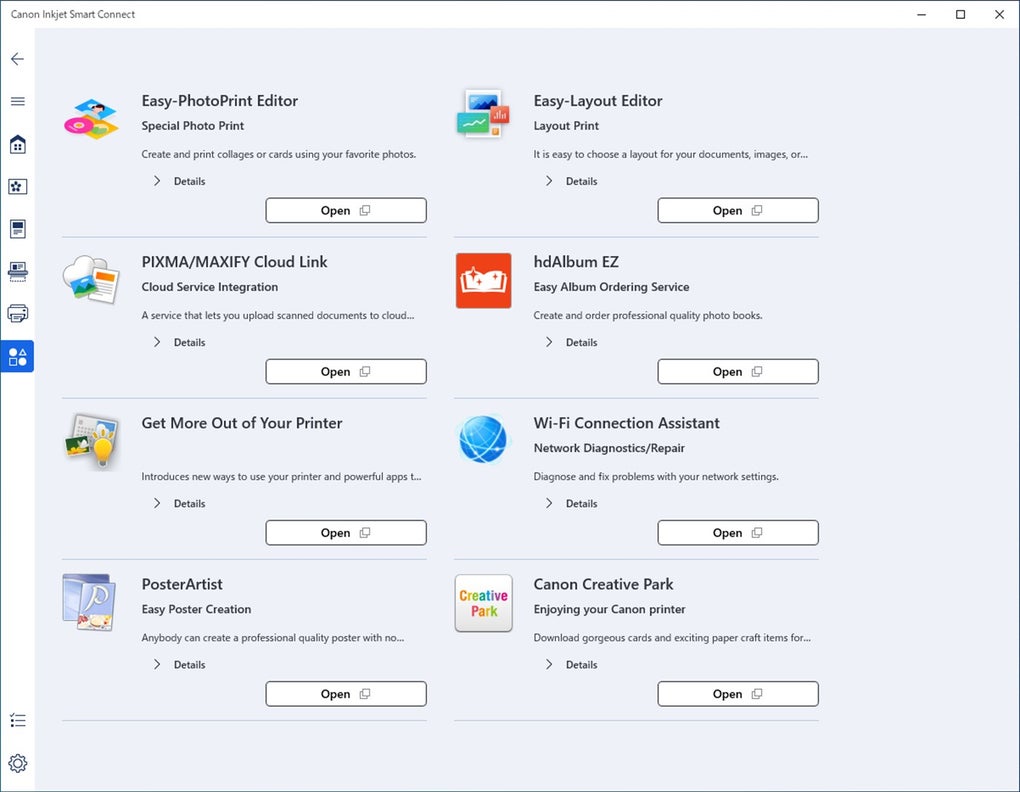
Additionally, the app integrates seamlessly with Canon’s PRINT Inkjet/SELPHY mobile app, ensuring a consistent experience across devices. Automatic updates keep the software secure and up to date, while the free download makes it accessible to everyone. Whether you're printing a birthday card or a professional report, Canon Inkjet Smart Connect delivers reliable, high-quality results every time.
How to Install and Use Canon Inkjet Smart Connect
Installing Canon Inkjet Smart Connect is a quick and straightforward process. Begin by visiting the official Canon website or your device’s app store. For Windows 10 users, navigate to the Canon support page, search for “Inkjet Smart Connect,” and download the installer. The setup wizard will guide you through the process—simply follow the on-screen prompts, accept the license agreement, and choose your installation location. Once installed, launch the app and sign in with your Canon account (optional but recommended for cloud sync).
For Mac users, the process is similar. Download the .dmg file from Canon’s website, open it, and drag the app into your Applications folder. After installation, open the app and follow the initial setup steps. On Android and iOS devices, go to the Google Play Store or Apple App Store, search for “Canon Inkjet Smart Connect,” and tap “Install.” Once downloaded, open the app and allow necessary permissions like camera access and network connection.
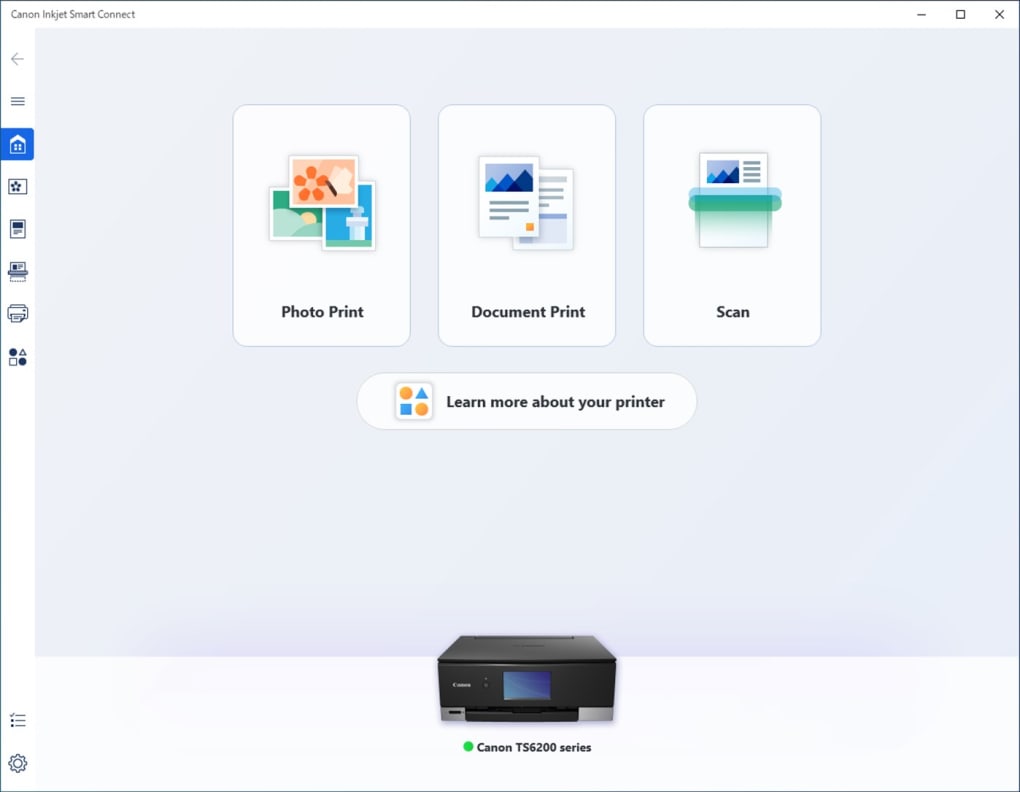
To start printing, select the “Photo Print” or “Document Print” option. The app will scan your network for available Canon printers. Choose your printer from the list and confirm the connection. You can then select your file from the device’s gallery, cloud storage, or local folder. Adjust print settings like layout, paper type, and quality. For photos, use the built-in editing tools to crop, rotate, or enhance colors before printing. After confirming, tap “Print” and watch your document or image come to life with crisp detail and vibrant colors.
Compatibility & System Requirements
Canon Inkjet Smart Connect is designed for broad accessibility, supporting multiple operating systems and device types. The PC version is compatible with Microsoft Windows 10 (64-bit) and macOS 10.15 or later. This ensures that both modern laptops and desktops can run the software without performance issues. For mobile users, the app is available on Android 8.0 and above and iOS 12.0 or later, making it accessible to most smartphones and tablets currently in use.
The software leverages Wi-Fi and Bluetooth connectivity to establish a stable link between your devices and the printer. A stable internet connection is recommended for cloud printing and remote job management. The app supports a wide range of Canon inkjet printers, including popular models like the PIXMA MG, TS, and MG series. It’s also compatible with Canon SELPHY printers for instant photo printing.
One of the key advantages is that the app runs efficiently even on older devices, thanks to optimized code and minimal system resource usage. The app automatically checks for updates, ensuring you always have the latest security patches and feature enhancements. This makes it a future-proof solution for users who want a reliable, long-term printing companion.
Pros and Cons
- Pros:
- Free to download and use on all platforms
- Seamless integration with Canon printers and cloud services
- Intuitive interface for easy navigation
- Supports high-quality photo and document printing
- Remote print job monitoring and management
- Automatic updates for enhanced security
- Compatible with Windows, Mac, iOS, and Android
- Cons:
- Only supports Windows 10 and later (no support for older OS versions)
- Some advanced features require a stable Wi-Fi connection
- Limited customization options for bulk printing
- Occasional delays in cloud sync on slower networks
- Requires a Canon printer for full functionality
Frequently Asked Questions (FAQ)
Conclusion: Why You Should Download Canon Inkjet Smart Connect Today
If you're looking for a secure, easy-to-use, and feature-rich printing solution, Canon Inkjet Smart Connect is an excellent choice. Whether you're printing school assignments, sharing vacation photos, or managing work documents, this app simplifies every step of the process. Its cross-device compatibility, cloud integration, and remote monitoring features make it a must-have for modern users.
With a free download, automatic updates, and strong support for both mobile and desktop platforms, Canon Inkjet Smart Connect delivers unmatched convenience. While it has minor limitations—like requiring a Canon printer and a stable network connection—it far outweighs them with its reliability and ease of use.
Download Canon Inkjet Smart Connect today and experience seamless printing from any device. Whether you're on Windows, Mac, iOS, or Android, this tool brings your printer to life with smart, secure, and high-quality results.
Guides & Tutorials for Canon Inkjet Smart Connect
How to install Canon Inkjet Smart Connect
- Click the Preview / Download button above.
- Once redirected, accept the terms and click Install.
- Wait for the Canon Inkjet Smart Connect download to finish on your device.
How to use Canon Inkjet Smart Connect
This software is primarily used for its core features described above. Open the app after installation to explore its capabilities.
User Reviews for Canon Inkjet Smart Connect 0
No reviews found





